Build fast data plotting, charting and visulation application with almost zero lines of code!


  • Time Series
  • XY Plots
  • Waterfalls
  • Cursors
  • Markers
  • Multi-Axis


What can I build with PlotLab?

PlotLab is a set of very fast data plotting / charting / graphing components.  Add sophisticated interactive graphs, charts, plots, and waterfalls to your VB.NET, C#, Visual C++, Delphi and C++ Builder applications with minimal effort.


Applications include:  real time data acquisition, signal analysis, digital signal analysis, video analysis, data visualization and more.
 
The library includes a Chart-like Plot component (Scope), a Waterfall component and a Multi Waterfall component.
 
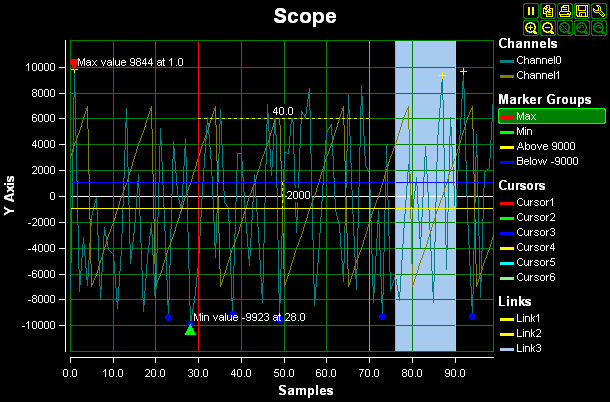
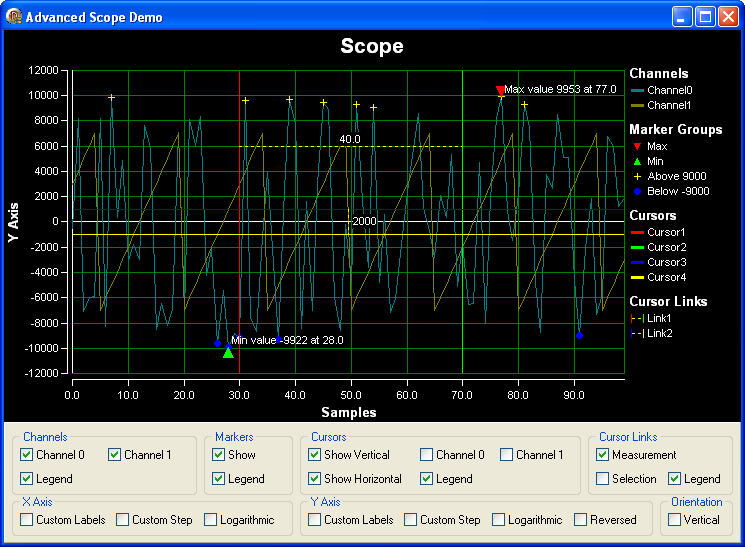
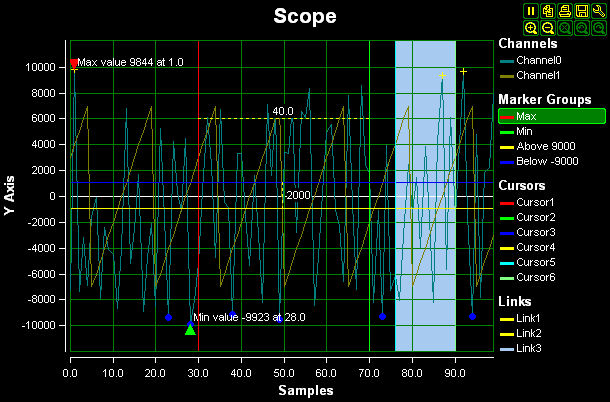
The Scope Control is a very fast multichannel plot / graph / chart component that can plot the data in logarithmic or linear modes:


/system/imgs/4/original/SLScopeMain.jpg?1311724239


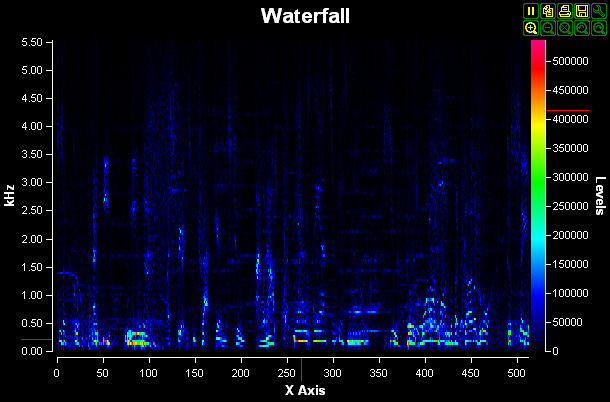
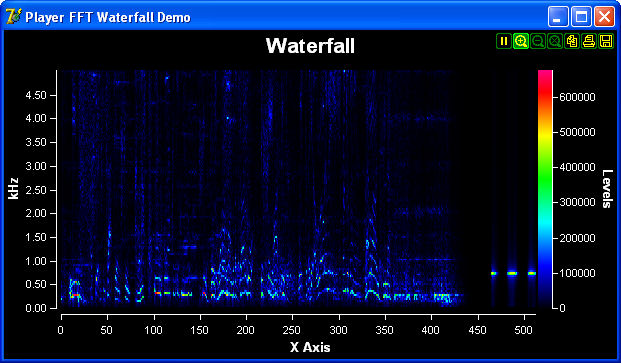
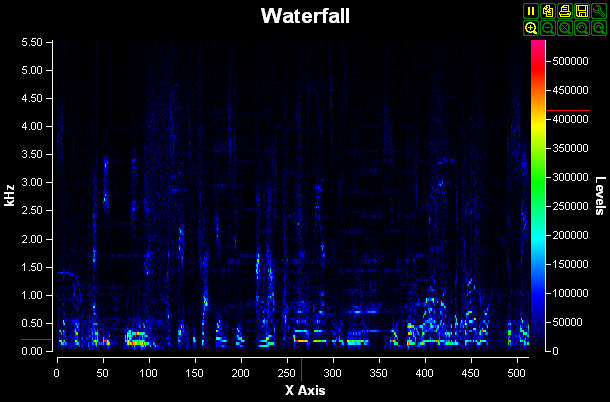
The Waterfall Control is a very fast single channel Waterfall plotting component:


/system/imgs/5/original/LPWaterfall.jpg?1311724425


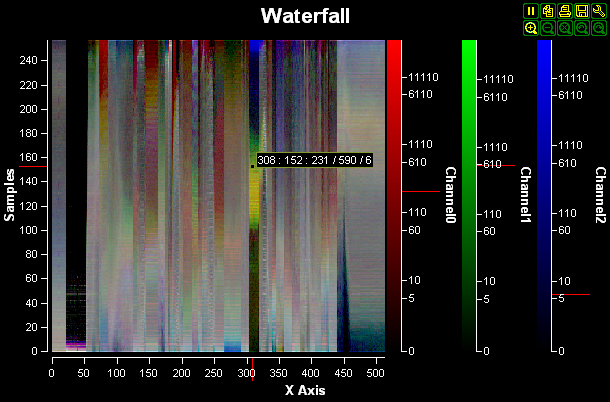
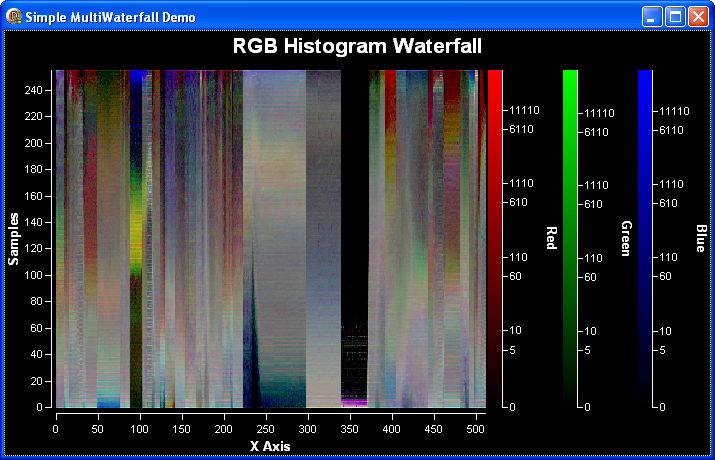
The Multi Waterfall Control is a very fast multi channel Waterfall plotting component:
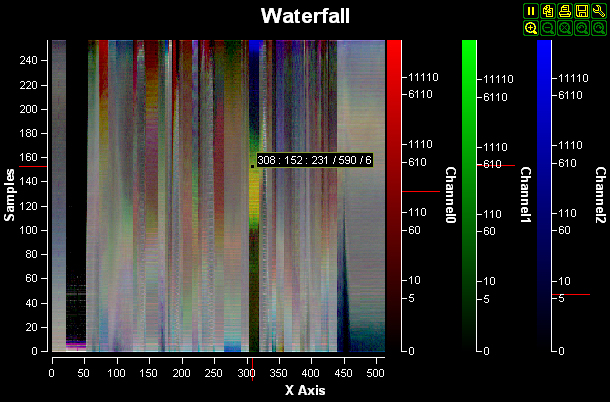
 

/system/imgs/6/original/LPMultiWaterfall.jpg?1311724664


PlotLab: for fast data plotting, charting and visulation application with almost zero lines of code!

Delphi 2010 C++ Builder 2010 RAD Studio 2010 Delphi Prism


Scope Control features:

SLScopeMain


Channels:

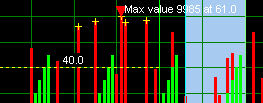
Bars


  • Display multiple channels as lines, points or bars
  • Custom draw channels


Toolbar:

Toolbar


  • Hold/Resume the screen update
  • Zooming - Auto, In/Out, Undo/Redo
  • Save to Bitmap or JPEG
  • Print
  • Copy
  • Setup


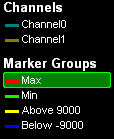
Interactive legend:

Legend


Channel markers:

Markers

  • Identify and Setup easily the channels, markers, cursors, selections, and measurements.
  • Highlight important points on the channels with custom labels.


Measurement:

Measurements

  • Measure distances.


Intersections:

Intersect

  • Show horizontal and vertical intersections between cursors and channels


Selections:

Selection  SelectionH  SelectionC

  • Select and highlight horizontal vertical areas or square regions.


Waterfall Controls features:

LPWaterfall

LPMultiWaterfall


Toolbar:

Toolbar
 

  • Hold/Resume the screen update
  • Zooming - Auto, In/Out, Undo/Redo
  • Save to Bitmap or JPEG
  • Print
  • Copy
  • Setup


Interactive legend:

LegendWF

  • Identify and Setup easily the markers.


Markers:

MarkersWF

  • Use markers to highlight important pints.

Converters

SLPair SLPair Pairs multiple data buffers together

Custom Filters

SLGenericReal SLGenericReal User defined filter for Real data
SLGenericFilter SLGenericFilter User defined filter for Binary data
SLGenericRealMatrix SLGenericRealMatrix User defined generator for Real matrix data

Generic Filters

SLGenericReal SLGenericReal User defined filter for Real data
SLGenericFilter SLGenericFilter User defined filter for Binary data
SLGenericRealMatrix SLGenericRealMatrix User defined generator for Real matrix data

Generic Generators

SLGenericGen SLGenericGen User defined generator for Binary data
SLGenericRealGen SLGenericRealGen User defined generator for Real data

Signal Filters

SLGenericReal SLGenericReal User defined filter for Real data
SLGenericFilter SLGenericFilter User defined filter for Binary data
SLGenericRealMatrix SLGenericRealMatrix User defined generator for Real matrix data

Signal Generators

SLGenericGen SLGenericGen User defined generator for Binary data
SLGenericRealGen SLGenericRealGen User defined generator for Real data

Visualization

SLScope SLScope Visible Scope/Plot component for representing floating point data
SLWaterfall SLWaterfall Visible waterfall for representing Real(double) data
PLMultiWaterfall PLMultiWaterfall Visible multi-channel waterfall for representing Real(double) data.

Video Layers

SLScopeLayer SLScopeLayer

A scope drawing layer.  You can add this layer to any drawing component such as TVLDraw to render a video layer containing a scope

SLWaterfallLayer SLWaterfallLayer

A waterfall draw layer.  You can add this layer to any drawing component such as TVLDraw to render a video layer containing a waterfall

PLMultiWaterfallLayer PLMultiWaterfallLayer

A multi channel waterfall draw layer. You can add this layer to any drawing component such as TVLDraw to render a video layer containing a multi channel waterfall

Matrix Layers

SLExternalScopeMatrixLayer SLExternalScopeMatrixLayer A scope matrix component layer
SLExternalWaterfallMatrixLayer SLExternalWaterfallMatrixLayer A waterfall matrix component layer
PLExternalMultiWaterfallMatrixLayer PLExternalMultiWaterfallMatrixLayer A waterfall matrix component layer.

Control Element

SLExternalScopeElement SLExternalScopeElement A scope component element
SLExternalWaterfallElement SLExternalWaterfallElement A waterfall component element
PLExternalMultiWaterfallElement PLExternalMultiWaterfallElement A scope component element.

PlotLab: What's New

New in Version 5.0.2 (released on 2012-04-16)


  • Added FireMonkey support.
  • Added 64 bit support for VCL, FireMonkey, and .NET
  • All .NET assemblies are now managed assemblies.
  • The .NET assemblies are reduced by half combining low level and high level assemblies, and simplifying deployment.
  • All .NET assemblies now contain the necessary 32 and 64 bit BPLs and DLLs internally simplifying the deployment.
  • The .NET Visual C++ redistributables are no longer needed
  • Added PlotLab Waterfall Cursors, CursorLinks and Labels.
  • Added PlotLab Waterfall Cursor Intersection pins.

New in Version 5.0.1 (released on 2011-10-18)

  • The managed assemblies are now rewritten in C# for better .NET 4.0 compatibility.
  • Added support for .NET 4.0 and .NET 3.5 “Client Profile”.
  • Significantly improved .NET type converters.
  • Significantly optimized component loading performance in .NET.
  • Major improvements in the .NET property editors.
  • Small improvements in the Unicode support for VC++.
  • Improved VisualStudio 2010 .NET support.
  • .NET assemblies have been renamed to better match the Microsoft guidelines.
  • Added .NET 4.0 assemblies.

New in Version 5.0 (released on 2011-09-05)

  • Added Delphi XE and XE2 support.
  • Added Scope and Waterfall marker crosshairs.
  • Brand new subsample Waterfall rendering mechanism.
  • Added optional user input for the video layers.
  • Significantly improved multithreading model adapted for multicore systems, with advanced relaxed interlocking, and with optional per-component, dedicated threads.

New in Version 4.5

  • Added Visual Studio 2010 support.
  • Added TSLGenericRealMatrix component.
  • Improved multithreading locks.
  • Improved Scope component.
  • Improved RAD Studio 2010 buffer debugger visualizes.

New in Version 4.3.1

  • Updated install.
  • Improved RAD Studio 2010 buffer debugger visualizes.

New in Version 4.3

  • Added RAD Studio 2010 support.
  • Added support for composite controls.
  • Added component elements support for the Scope and Waterfall components.
  • Added OnCursor events.
  • Added custom legend elements.
  • Improved precision for small values.
  • Improved .NET memory management.
  • Added RAD Studio 2010 buffer debugger visualizes.

New in Version 4.0.1

  • Added multiple axes support for the Scope cursors.
  • Added support for short, unsigned short and unsigned integer data for the scope and waterfall components.
  • Improved marker support for the Scope.
  • Improved installs.

New in Version 4.0

  • Full Visual Studio 2008 support.
  • Full RAD Studio 2009 support.
  • Added Prism support.
  • Improved .NET support.
  • The library is now fully Unicode compliant.
  • Added automatic format converters in OpenWire.
  • New higher performance multithreading locking for better multi core utilization.
  • Significantly enhanced buffer classes.
  • Added integrated GDI+ support.
  • The Scope component supports multiple X and Y Axes.
  • Added Scope and Waterfall toolbar customization.
  • The Scope now allows data gaps.
  • Added Scope Automatic data down sampling for faster drawing of huge amounts of data.
  • Added Scope X Axis logarithmic support.
  • Added Scope channel links (Allow channels to be paired together to form a zone)
  • Circular and arbitrary zones added to the Scope component.
  • Added Scope Step channel mode.
  • Added scope panning navigation mode.
  • Added Scope directional zooming.
  • Added Scope and Waterfall Axis and Level configuration buttons.
  • Added video layers support.
  • Added new examples.

New in Version 3.1

  • All libraries are available under .NET.
  • All design time features are now available in .NET
  • All .NET assemblies are signed.
  • The assemblies are registered in GAC.
  • All DLLs are made embedded resources in the assemblies.
  • Fixed some minor OpenWire problems.
  • Full RAD Studio 2007 support.
  • Fixed problems with Reversed and Vertical scope.
  • Fixed bug in the MultiWaterfall.
  • Added new custom step modes to the Scope and Waterfall.
  • Added data access methods to the Waterfall.
  • Added number of new design editors.
  • Enhanced help files.
  • Delphi 2005, BDS 2006, and RAD 2007 help files are now integrated.
  • Added new examples.

New in Version 3.0

  • Added .NET 2.0 support.
  • Added new Multi Channel Waterfall component.
  • Updated to IPP 5.1.
  • Added custom axis labels.
  • Added channel value intersections support.
  • Added Axis zooming and toolbars.
  • Added X/Y plotting support to the Scope.
  • Added Scope channel highlighting.
  • Added Channel OnClick events.
  • Added Cursor events.
  • Added mouse value tip window.
  • Added OnZoom events.
  • Added Generic generator components.

New in Version 2.2.1

  • Fixed a conflict with TChart.
  • Added initial support for vertical Scope.

New in Version 2.2

  • Added BDS 2006 support.
  • Added Visual Studio 2005 support.
  • Added Scope measurements and selections.
  • Added basic mouse wheel support.
  • Enhanced markers and cursors.
  • Enhanced property pages.
  • Allows adding cursors from the property pages.
  • Allows reversed X axes for the Waterfall component.
  • The cursors and the markers now are available in the legend.
  • The Scope and the Waterfall can receive focus.
  • Added Scope cursors, and property pages.
  • Enhanced markers.
  • Added Waterfall markers
  • Added custom draw functionality in the Scope channels
  • Added Undo/Redo zoom functionality
  • Added channel editor for the Scope
  • Added Marker editor for the Waterfall.
( Click to view Larger images. )
These demos are executable after downloading.
Also see:   Demo source code downloads

PlotLab Examples

Advanced Scope Capabilities Advanced Scope Capabilities
Muliple Axes on a Scope Muliple Axes on a Scope
Multiwaterfall Plot Multiwaterfall Plot
Waterfall component demo Waterfall component demo

PlotLab: Frequently Asked Questions

Q: Do I have to purchase PlotLab?
A: PlotLab is free for non commercial purposes. This means that you can use it for personal pleasure, hobby, or evaluation purposes. If you are student you can also use it for free for your educational needs including school projects. If you are a tutor at present you also can use it for free for your classes. However in the near future a low cost tutor license will be available, and you will have to purchase it. Your students however will not need license to use the product at class.
Q: Is PlotLab multithreading? Will it stop processing the data while I move the window with the mouse?
A: Yes. PlotLab is fully multithreaded and will not stop processing the data while the main thread is busy.
Q: Does PlotLab require any DLLs to work?
A: If you are using Delphi or C++ Builder, PlotLab does not require any DLLs to work. You can create monolithic executable that contains all that is needed. If you are using Visual C++, with the current version you will have to use the PlotLab DLL files.

PlotLab Installers

VCL Installer: PlotLab 5.0.1 for Delphi and C++ Builder
Updated on 2011-10-18, downloaded 14649 times.
VCL Installer: PlotLab 5.0.2 VCL and FireMonkey (Windows only) 32 and 64 bit support for XE2 Update 4 Only
Updated on 2012-04-16, downloaded 427 times.
Visual C++ Installer: PlotLab 5.0.1 for Visual C++ MFC
Updated on 2011-10-18, downloaded 7720 times.
.NET Installer: PlotLab 5.0.2 for Microsoft .NET 2.0-4.0
Updated on 2012-04-16, downloaded 8268 times.

Demos

These demos are executable after downloading.   Also see: Demo source code downloads
Advanced Scope demo
Illustrates many advanced scope features
Date Display Scope demo
Demonstrates using dates to govern the X-Axis
Large Data Scope demo
Shows how to load a large data file into a scope
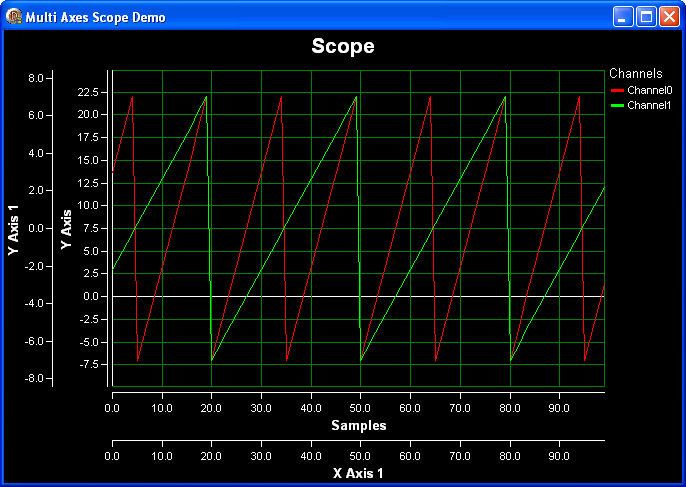
Multi Axes Scope demo
Demonstrates using different X and Y axis scales for differnet channels
Scrolling Scope demo
Illustrates how to scroll signal input across the scope as it arrives
Simple Waterfall demo
Shows how to use TSLWaterfall component
Simple MultiWaterfall demo
Demonstrates and RGB Histogram Waterfall plot
Simple Scope demo
Shows how to use TSLScope component to display a simple signal
XYScope demo
Demonstrates plotting Y vs. X values over time


The libraries are licensed per developer, and there are no royalties required. Once you have purchased a developer license, you are free to distribute your final product without the need to pay any royalties or other fees as long as you comply with the following license agreement:
 
 
LICENSE - AGREEMENT
 
Users of the LabPacks Component Pack(Software) must accept these terms of license.
 
If you refuse to accept the terms of license, you may not use this software, and you have the right to return it within 30 days of the purchase date, and to receive your money back.
 
For your convenience a copy of this license agreement will be stored on your system during the installation.
 
This license grants you the following rights:
 
You have a non exclusive license to the Software. The Title and all intangible rights to the Software are the property of Mitov Software .  
 
You may install and use one copy of the Software per computer assuming only one and the same person will use the Software on all of the computers. You may distribute any application that includes Software without any additional royalties beyond your initial license registration fee.
 
You can also create a reasonable set of copies of the product on different types of media, such as CD Rom or Type Backup, as far as those copies are used only for your own back up protection.
 
Description of the limitations. 
 
You may not reverse engineer, decompile, or disassemble the Software.
 
The Software is licensed as a single product. You may not rent or lease the Software. You must treat the Software like any other copyrighted material except that you may either (a) a reasonable amount of copies of the Software solely for backup or archival purposes, or (b) install the Software multiple computers provided you keep the original solely for backup or archival purposes and only a single developer will use all of the copies.
 
You may not separate Delphi and C++ Builder components from this Software.
Each developer must have a valid license for the Software.
 
You may not create a competing component product using this Software.
 
Additional restriction to Delphi-VCL and C++ Builder components: 
 
You may not distribute the Delphi-VCL components in a DCU (Delphi Compiled Unit) format. You can distribute the component only as a part of your executable or dynamic link library program in a compiled form.
 
You may not distribute the C++ Builder components in OBJ format. You can distribute the component only as a part of your executable or dynamic link library program in a compiled form.
 
 
Mitov Software grants a limited warranty with these restrictions:
 
THE SOFTWARE IS SUPPLIED AS IT IS. MITOV SOFTWARE AND ITS SUPPLIERS DISCLAIM ALL WARRANTIES, EITHER EXPRESS OR IMPLIED, INCLUDING, BUT NOT LIMITED TO, IMPLIED WARRANTIES OF MERCHANTABILITY AND FITNESS FOR A PARTICULAR PURPOSE, WITH REGARD TO THE SOFTWARE. NO LIABILITY FOR CONSEQUENTIAL DAMAGES. TO THE MAXIMUM EXTENT PERMITTED BY APPLICABLE LAW, IN NO EVENT SHALL MITOV SOFTWARE OR ITS SUPPLIERS BE LIABLE FOR ANY SPECIAL, INCIDENTAL, INDIRECT, OR CONSEQUENTIAL DAMAGES WHATSOEVER (INCLUDING, WITHOUT LIMITATION, DAMAGES FOR LOSS OF BUSINESS PROFITS, BUSINESS INTERRUPTION, LOSS OF BUSINESS INFORMATION, OR ANY OTHER PECUNIARY LOSS) ARISING OUT OF THE USE OF OR INABILITY TO USE THE SOFTWARE.

News

April 16, 2012more...

New .NET and XE2 Releases: version 5.0.2 with 64-bit support

March 23, 2012more...

64-bit .NET support! Beta prerelease with many improvements

March 14, 2012more...

The NEW OpenWire Live Bindings 5.0.1 beta is released!

March 10, 2012more...

32/64-bit XE2 Update 4 release!

October 26, 2011more...

The NEW OpenWire Editor version 5.0.1 beta is officially released

October 18, 2011more...

Release of version 5.0.1 of the libraries on all platforms

October 12, 2011more...

And don't miss my second talk: Video, Audio Processing, DSP, Artificial Intelligence and Computer Vision with FireMonkey

October 11, 2011more...

Don't miss my speech at CodeRage 6: Creating dual-compile controls for VCL and FireMonkey

September 2, 2011more...

Welcome to our New Web Site!

Partners

Em

Published

Torry_logo