
Build attractive, effective user interfaces for your DSP and other applications!
|
|

Great looking user interfaces! for your DSP and control applications. The following images are a taste of what InstrumentLab has to offer.
Applications include: real time data monitoring, process control, signal analysis, digital signal analysis, video analysis, data visualization, visual instrumentation and more.
(See the "Features" tab for a more complete listing.)
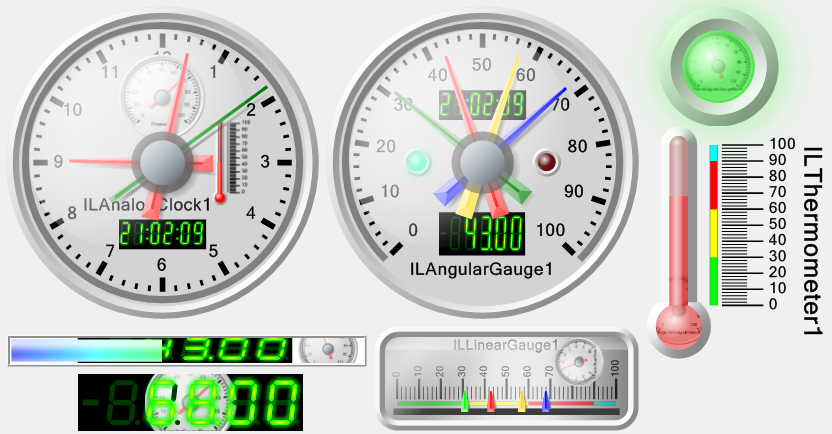
InstrumentLab is a set of visual instruments and controls based on GDI+. For Delphi / C++ Builder, InstrumentLab is a set of native VCL components, and these components can be composited:
InstrumentLab is implemented using a very fast MMX optimized libraries to perform the plotting calculations, and is designed mainly for very fast real time data plotting applications, such as DSP, Audio Processing, Video and Image Processing.




InstrumentLab is a set of visual instruments and controls based on GDI+.
The Delphi / C++ Builder version is a set of native VCL components.
Here are some examples of the included controls:
LED Controls:

LED Controls have On/Off and multicolor indicators.
Progress Bar control:
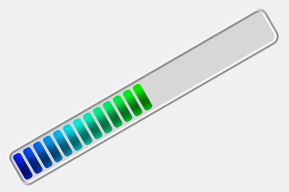
Progress bar with multiple discrete or transitional colors, displaying with or without bars, and customizable borders.
The progress bar can be rotated.
Angular Gauge control:
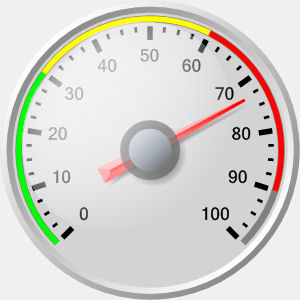
Analog Clock control:
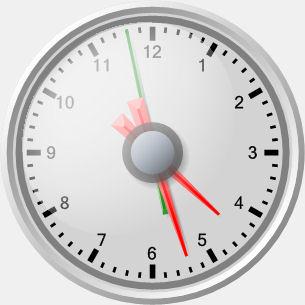
Linear Gauge control:
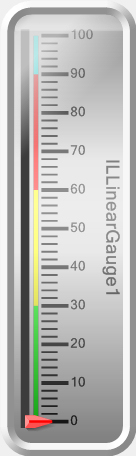
Thermometer Gauge control:
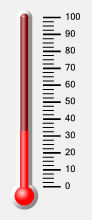
Segment indicator control:
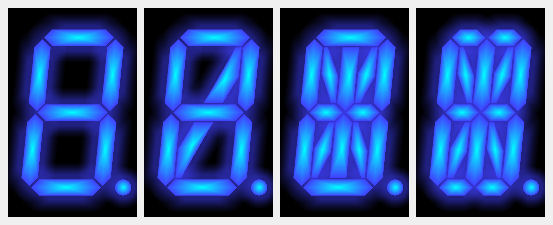
Segment Gauge control:
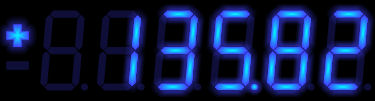
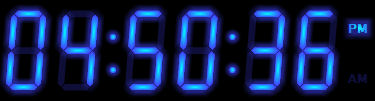
Segment Clock control:
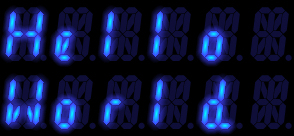
Segment Text control:
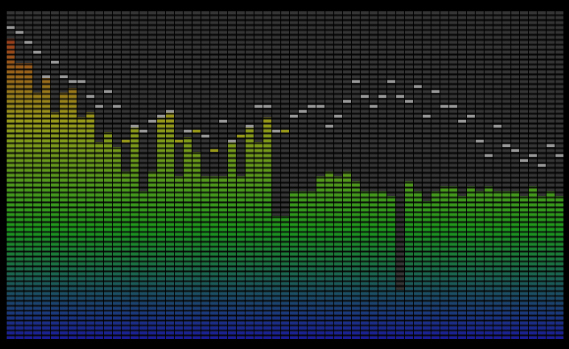
Spectrum control:
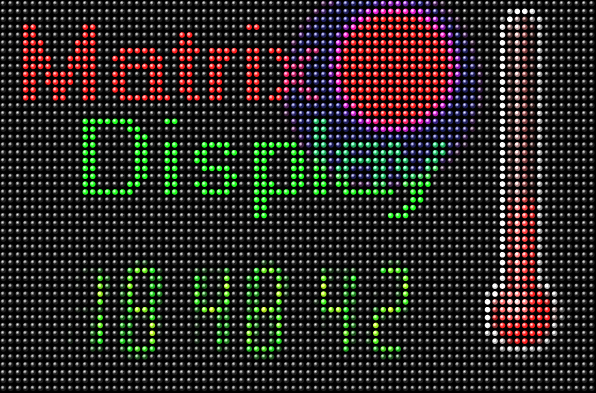
Matrix control:
Composite controls:
Glass Panel control:
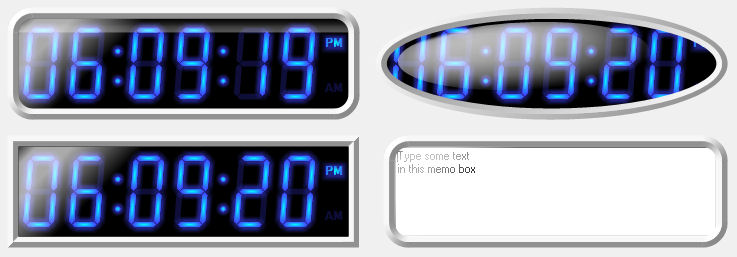
The glass panel can be placed on top of other components to create a glass cover appearance. It can be placed over any control.
| SLChangeRange |  |
Changes the output range of the signal |
| SLDetectLevels |  |
Detects levels in the input signal |
| SLPair |  |
Pairs multiple data buffers together |
| SLMakeStructure |  |
Combines elements into a strucrure |
| SLSplitStructure |  |
Splits a structure into multiple elements |
| SLGenericRealValue |  |
User defined filter for Real values |
| SLGenericReal |  |
User defined filter for Real data |
| SLGenericFilter |  |
User defined filter for Binary data |
| SLGenericRealMatrix |  |
User defined generator for Real matrix data |
| SLGenericReal | |
User defined filter for Real data |
| SLGenericFilter | |
User defined filter for Binary data |
| SLGenericRealMatrix | |
User defined generator for Real matrix data |
| TLGenericFilter |  |
User defined timing filter |
| SLGenericGen |  |
User defined generator for Binary data |
| SLGenericRealGen |  |
User defined generator for Real data |
| ULLabel |  |
Rotatable label |
| ULImage |  |
GDI+ Image |
| OpenWireStudio |  |
Loads, executes, and exchanges data with OpenWire Studio projects |
| SLGenericRealValue | |
User defined filter for Real values |
| SLGenericReal | |
User defined filter for Real data |
| SLGenericFilter | |
User defined filter for Binary data |
| SLGenericRealMatrix | |
User defined generator for Real matrix data |
| SLGenericRealValueGen |  |
User defined generator for Real values |
| SLGenericGen | |
User defined generator for Binary data |
| SLGenericRealGen | |
User defined generator for Real data |
| TLWatchDogTimer |  |
Implements a Watch Dog Timer. |
| TLMainThredEvent |  |
Allows other threads to generate main thread notifications. |
| TLClockGen |  |
Provides clock for other components. |
| TLThreadEvent |  |
Use this component to execute code in a separated thread |
| TLStopWatch |  |
Use this component to implement a Stop Watch |
| TLFrequencyMeter |  |
Use this component to implement a Frequency meter |
| TLCounter |  |
Use this component to implement a Counter |
| SLAverageValue |  |
Use this component to average the input values |
| ILLed |  |
LED control with On/Off states |
| ILMultiLed |  |
LED control with multiple states |
| ILProgressBar |  |
Progress bar |
| ILAngularGauge |  |
Angular gauge |
| ILGlassPanel |  |
Rectangular, or elliptic panel covered with glass |
| ILLevelLed |  |
LED control with gradually changing intensity and/or color based on the input value |
| ILThermometer |  |
Thermometer gauge |
| ILAnalogClock |  |
Analog clock |
| ILSegmentGauge |  |
7, 9, 14 or 16 segment gauge |
| ILSegmentIndicator |  |
7, 9, 14 or 16 segment indicator |
| ILSegmentClock |  |
7, 9, 14 or 16 segment clock |
| ILSegmentText |  |
7, 9, 14 or 16 segment text display |
| ILMatrixDisplay |  |
Matrix display |
| ILSpectrumDisplay |  |
Spectrum display |
| ILLinearGauge |  |
Linear gauge |
| ILLedLayer |  |
Layer drawing LED control with On/Off states |
| ILMultiLedLayer |  |
Layer drawing LED control with multiple states |
| ILProgressBarLayer |  |
Layer drawing progress bar |
| ILAngularGaugeLayer |  |
Layer drawing angular gauge |
| ILGlassPanelLayer |  |
Layer drawing rectangular, or elliptic panel covered with glass |
| ILLevelLedLayer |  |
Layer drawing LED control with gradually changing intensity and/or color based on the input value |
| ILThermometerLayer |  |
Layer drawing thermometer gauge |
| ILAnalogClockLayer |  |
Layer drawing analog clock |
| ILSegmentGaugeLayer |  |
Layer drawing 7, 9, 14 or 16 segment gauge |
| ILSegmentIndicatorLayer |  |
Layer drawing 7, 9, 14 or 16 segment indicator |
| ILSegmentClockLayer |  |
Layer drawing 7, 9, 14 or 16 segment clock |
| ILSegmentTextLayer |  |
Layer drawing 7, 9, 14 or 16 segment text display |
| ILMatrixDisplayLayer |  |
Layer drawing matrix display |
| ILSpectrumDisplayLayer |  |
Layer drawing spectrum display |
| ILLinearGaugeLayer |  |
Layer drawing linear gauge |
| ULLabelLayer |  |
Layer drawing rotatable label |
| ULImageLayer |  |
Layer drawing image |
| ILExternalLedMatrixLayer |  |
Matrix layer drawing LED control with On/Off states |
| ILExternalMultiLedMatrixLayer |  |
Matrix layer drawing LED control with multiple states |
| ILExternalProgressBarMatrixLayer |  |
Matrix layer drawing progress bar |
| ILExternalAngularGaugeMatrixLayer |  |
Matrix layer drawing angular gauge |
| ILGlassPanelMatrixLayer |  |
Matrix layer drawing rectangular, or elliptic panel covered with glass |
| ILExternalLevelLedMatrixLayer |  |
Matrix layer drawing LED control with gradually changing intensity and/or color based on the input value |
| ILExternalThermometerMatrixLayer |  |
Matrix layer drawing thermometer gauge |
| ILExternalAnalogClockMatrixLayer |  |
Matrix layer drawing analog clock |
| ILExternalSegmentGaugeMatrixLayer |  |
Matrix layer drawing 7, 9, 14 or 16 segment gauge |
| ILExternalSegmentIndicatorMatrixLayer |  |
Matrix layer drawing 7, 9, 14 or 16 segment indicator |
| ILExternalSegmentClockMatrixLayer |  |
Matrix layer drawing 7, 9, 14 or 16 segment clock |
| ILExternalSegmentTextMatrixLayer |  |
Matrix layer drawing text |
| ILExternalMatrixDisplayMatrixLayer |  |
Matrix layer drawing matrix display |
| ILTextMatrixLayer |  |
Matrix layer drawing text |
| ILExternalSpectrumDisplayMatrixLayer |  |
Matrix layer drawing matrix display |
| ILExternalLinearGaugeMatrixLayer |  |
Matrix layer drawing linear gauge |
| ULExternalLabelMatrixLayer |  |
Matrix layer drawing external text label |
| ULImageMatrixLayer |  |
Matrix layer drawing image |
| ILExternalLedElement |  |
Component element drawing external LED control with On/Off states |
| ILLevelDetectLedElement |  |
Component element drawing internal level triggered LED control |
| ILTimeDetectLedElement |  |
Component element drawing internal time triggered LED control |
| ILExternalMultiLedElement |  |
Component element drawing external data LED control with multiple states |
| ILProgressBarElement |  |
Component element drawing internal data progress bar |
| ILExternalProgressBarElement |  |
Component element drawing external data progress bar |
| ILGaugeMinMaxHandElement |  |
Component element drawing internal data min or max angular gauge hand |
| ILExternalGaugeHandElement |  |
Component element drawing external data angular gauge hand |
| ILExternalGaugeControlHandElement |  |
Component element drawing external user controllable data angular gauge hand |
| ILAngularGaugeElement |  |
Component element drawing internal data angular gauge |
| ILExternalAngularGaugeElement |  |
Component element drawing external data angular gauge |
| ILGlassPanelElement |  |
Component element drawing rectangular, or elliptic panel covered with glass |
| ILLevelLedElement |  |
Component element drawing internal data LED control with gradually changing intensity and/or color based on the input value |
| ILExternalLevelLedElement |  |
Component element drawing external data LED control with gradually changing intensity and/or color based on the input value |
| ILThermometerElement |  |
Component element drawing internal data thermometer gauge |
| ILExternalThermometerElement |  |
Component element drawing external data thermometer gauge |
| ILExternalClockHandElement |  |
Component element drawing external data analog clock hand |
| ILAnalogClockElement |  |
Component element drawing internal data analog clock |
| ILExternalAnalogClockElement |  |
Component element drawing external data analog clock |
| ILSegmentGaugeElement |  |
Component element drawing internal data 7, 9, 14 or 16 segment gauge |
| ILExternalSegmentGaugeElement |  |
Component element drawing external data 7, 9, 14 or 16 segment gauge |
| ILSegmentClockElement |  |
Component element drawing internal data 7, 9, 14 or 16 segment clock |
| ILExternalSegmentClockElement |  |
Component element drawing external data 7, 9, 14 or 16 segment clock |
| ILExternalSegmentTextElement |  |
Component element drawing external text data 7, 9, 14 or 16 segment indicator |
| ILExternalMatrixDisplayElement |  |
Component element drawing external data matrix display |
| ILExternalSpectrumDisplayElement |  |
Component element drawing external data spectrum display |
| ILLinearGaugeElement |  |
Component element drawing internal data linear gauge |
| ILExternalLinearGaugeElement |  |
Component element drawing external data linear gauge |
| ILExternalLinearGaugeControlHandElement |  |
Component element drawing external user controllable data linear gauge hand |
| ILExternalLinearGaugeHandElement |  |
Component element drawing external data linear gauge hand |
| ILLinearGaugeMinMaxHandElement |  |
Component element drawing internal data min or max linear gauge hand |
| ULAnalogLabelElement |  |
Component element drawing analog label |
| ULTimeLabelElement |  |
Component element drawing time label |
| ULExternalLabelElement |  |
Component element drawing external text label |
| ULImageElement |  |
Component element drawing image |
| ILExternalSegmentIndicatorElement |  |
Component element drawing external data 7, 9, 14 or 16 |
| Angular Guages | 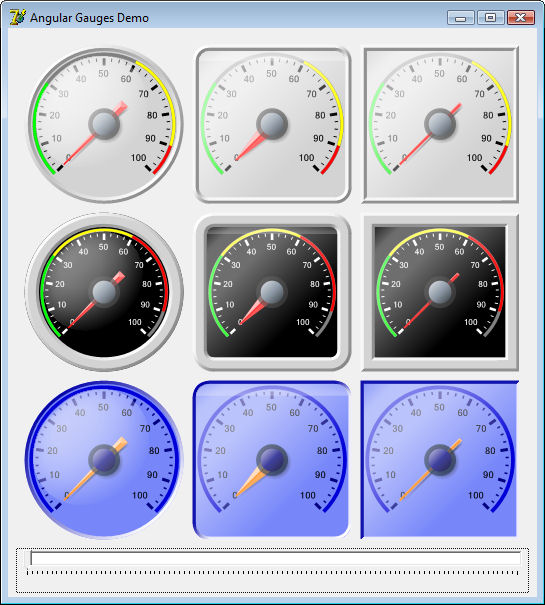 |
Demo: Angular Gauges demo
|
||
| Analog Clocks | 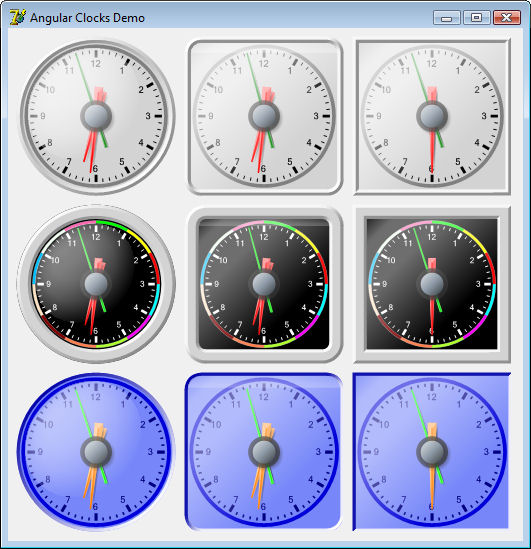 |
Demo: Analog Clocks demo
|
||
| Linear Gauges | 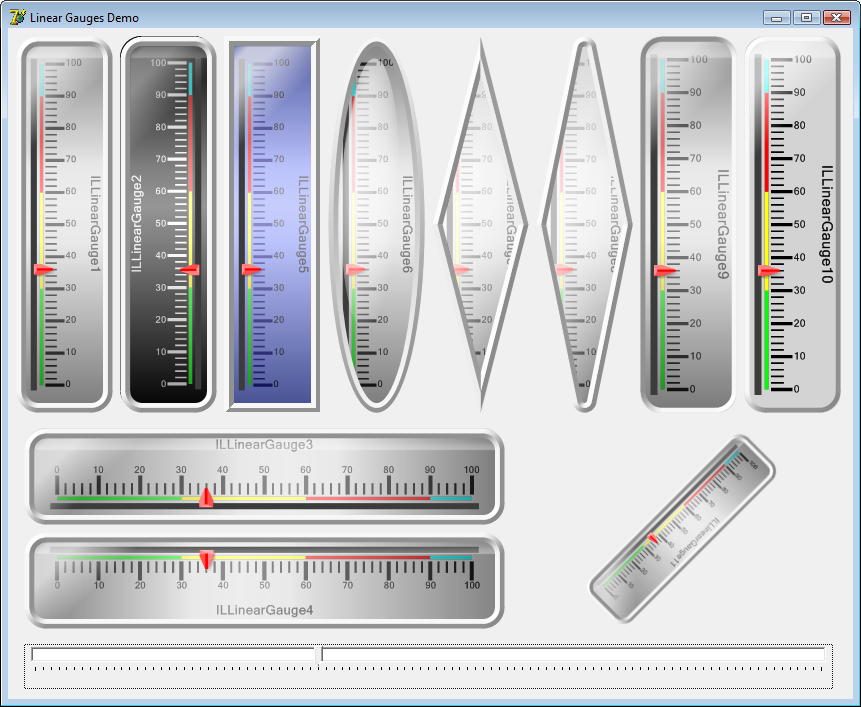 |
Demo: Linear Gauges demo
|
||
| Segment Gauges | 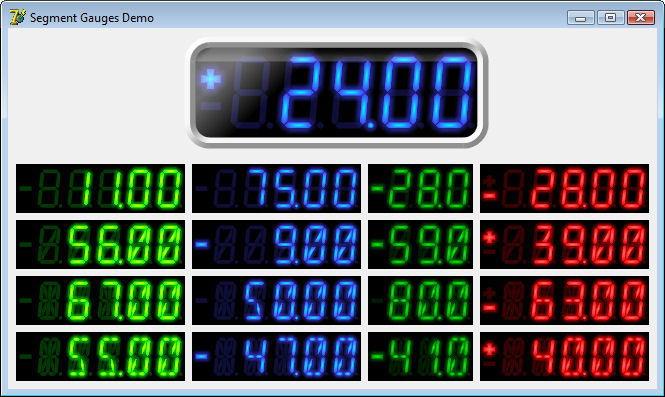 |
Demo: Segment Gauges demo
|
||
| Segment Clocks | 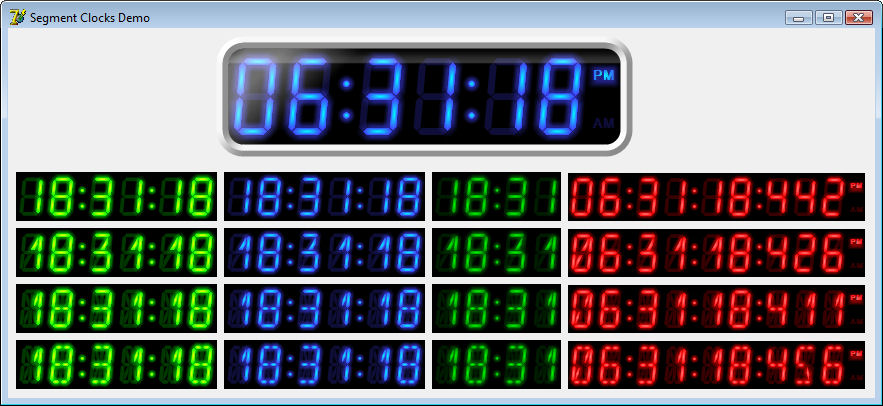 |
Demo: Segment Clocks demo
|
||
| Segment Indicators | 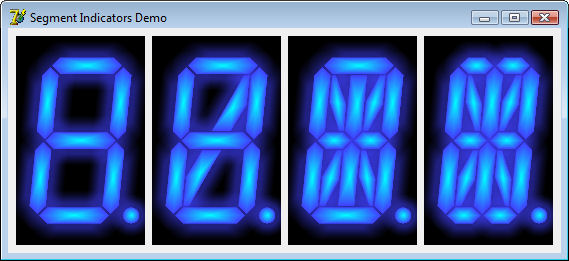 |
Demo: Segment Indicators demo
|
||
| Thermometer Gauges |  |
Demo: Thermometers demo
|
||
| LED Indicators | 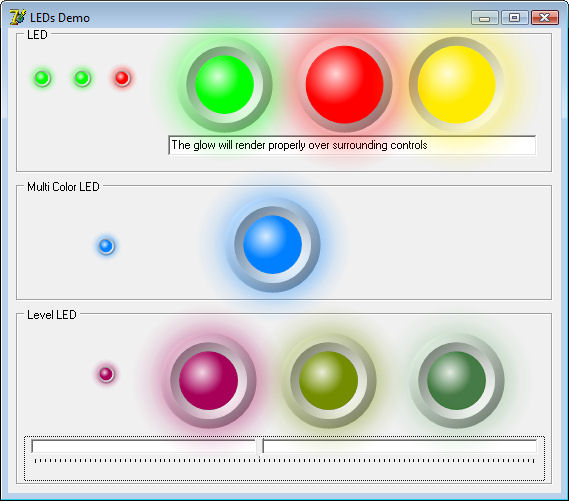 |
Demo: LED Displays demo
|
||
| Composite components | 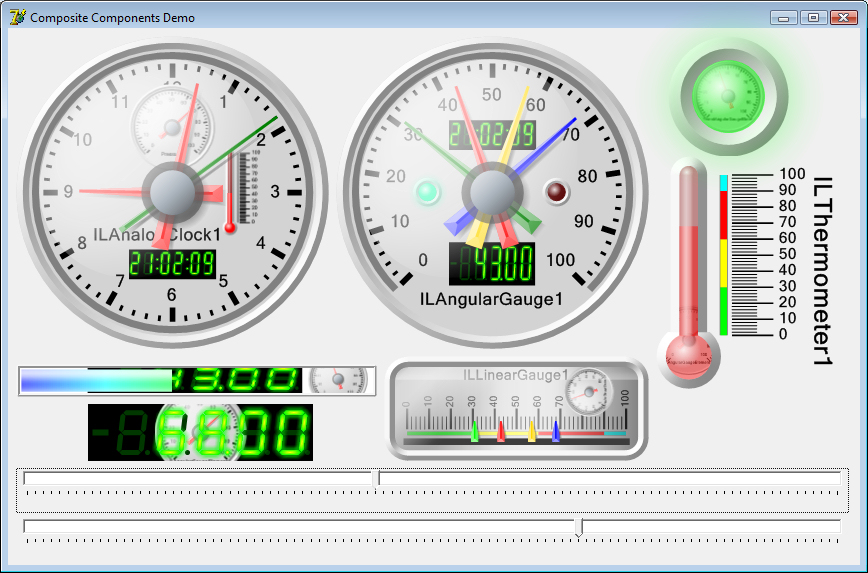 |
|||
| Glass Panels |  |
Demo: Glass Panels demo
|
| Analog Clocks demo |
Demonstrates a variety of analog clock displays |
| Angular Gauges demo |
Demonstrates a variety of angular gauges |
| Composite Components demo |
Demonstrates building composite instruments, such as segment displays inside angular gauges, angular gauges inside linear gauages, etc |
| Glass Panels demo |
Demonstrates adding a glass effect to any component |
| LED Displays demo |
Demonstrates a variety of LED displays |
| Linear Gauges demo |
Demonstrates a variety of linear gauges |
| Matrix Display demo |
Demonstrates thermometers, gauges and other components on a matrix |
| Progress Bars demo |
Demonstrates a number of great looking progress bars displayed horizontally, vertically -- and even diagonally! |
| Segment Clocks demo |
Demonstrates a variety of segment clock options |
| Segment Gauges demo |
Demonstrates displaying numerical output in segment gauges |
| Segment Indicators demo |
Demonstrates indicating status or alerts with segment displays |
| Segment Text demo |
Demonstrates displaying arbitrary text in a segment component |
| Thermometers demo |
Demonstrates a variety of analog thermometer options
|
| Spectrum demo |
Displays a spectrum using TILSpectrumDisplay (which has a matrix display effect)
|
UPDATED RELEASE: RAD Studio/Delphi 13.0 Florence version of all the libraries has been released!
NEW RELEASE: RAD Studio/Delphi 13.0 Florence version of all the libraries has been released!
NEW RELEASE: Updated RAD Studio/Delphi 12.3 Athens version of all the libraries has been released!
NEW RELEASE: Updated RAD Studio/Delphi 12.3 Athens version of all the libraries has been released!
NEW RELEASE: Updated RAD Studio/Delphi 12.2 Athens version of all the libraries has been released!
NEW RELEASE: Updated RAD Studio/Delphi 12.0.0 Athens version of all the libraries has been released!
NEW RELEASE: Updated RAD Studio/Delphi 12.0.0 Athens version of all the libraries has been released!
NEW RELEASE: Updated RAD Studio/Delphi 12.0.0 Athens version of all the libraries has been released!
NEW RELEASE: RAD Studio/Delphi 12.0 Athens version of all the libraries has been released!
NEW RELEASE: Updated RAD Studio/Delphi 10.4 Sydney version of all the libraries has been released!
NEW RELEASE: Updated RAD Studio/Delphi 10.3 Rio version of all the libraries has been released!
NEW RELEASE: Updated RAD Studio/Delphi 11.0 Alexandria version of all the libraries has been released!
NEW RELEASE: Updated RAD Studio/Delphi 10.4.2 Sydney version of all the libraries has been released!
NEW RELEASE: Updated RAD Studio/Delphi 11.0.0 Alexandria version of all the libraries has been released!
NEW RELEASE: RAD Studio/Delphi 11.0 Alexandria version of all the libraries has been released!
NEW RELEASE: RAD Studio/Delphi 10.4.2 Sydney version of all the libraries has been released!