
|
|

NEW: OpenWire Editor is now included as part of the Firemonkey - VCL or .NET component packages!
The OpenWire Editor provides an intuitive, powerful graphical editing pane to build OpenWire applications simply by connecting components (FireMonkey, VCL, .NET) and making wiring diagrams. In the OpenWire Editor, the "wires" are like those connecting a TV to a VCR, or speakers to a surround system; the OpenWire pins are analogous to the jacks where you plug the wires in; and the OpenWire components correspond to the entertainment components (TV, speakers, etc.).
For a quick demonstration, watch this video:
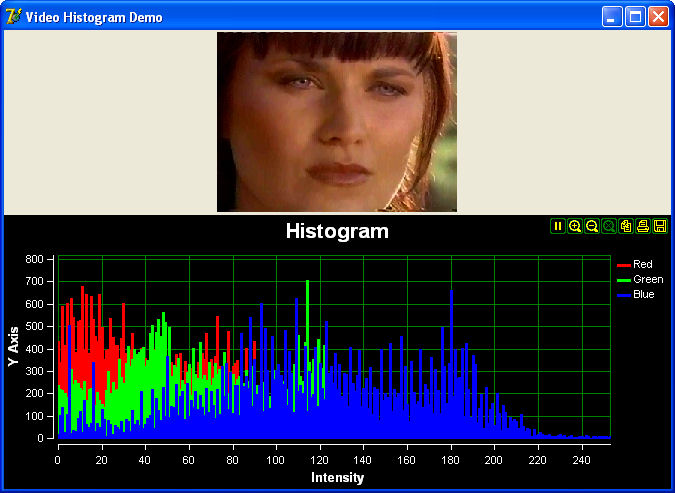
For example, consider an application where you wish to play a video file and display the video on a form while simultaneously calculating its RGB histogram and displaying that on a Scope component. With VideoLab and the OpenWire Editor, you would simply create Form1 and add the components (AVIPlayer, ImageDisplay, Histogram, and Scope). Then, use you mouse to drag connections from Outputs to Inputs:
Visual Studio 2010:
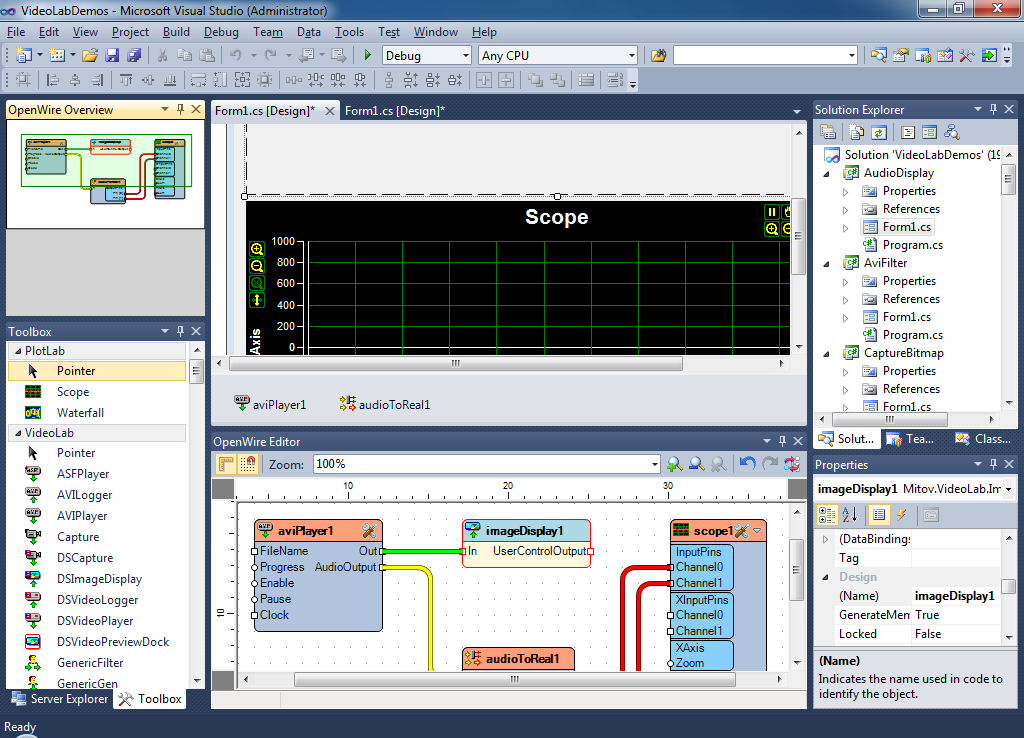
Visual Studio 2012:
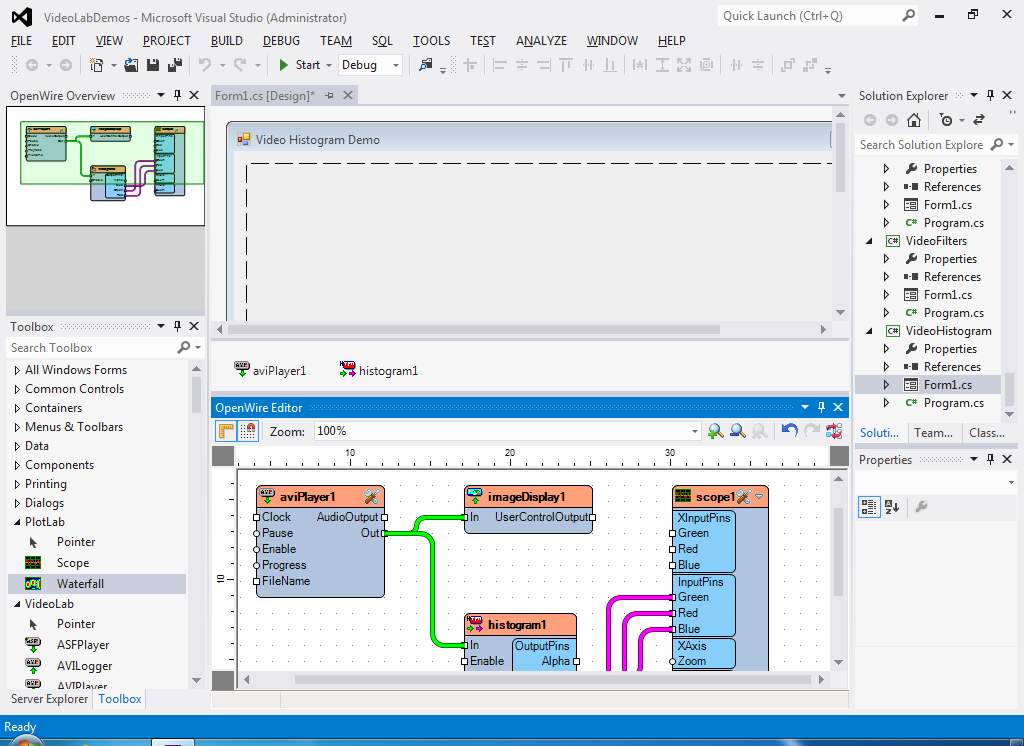
RAD Studio XE3:
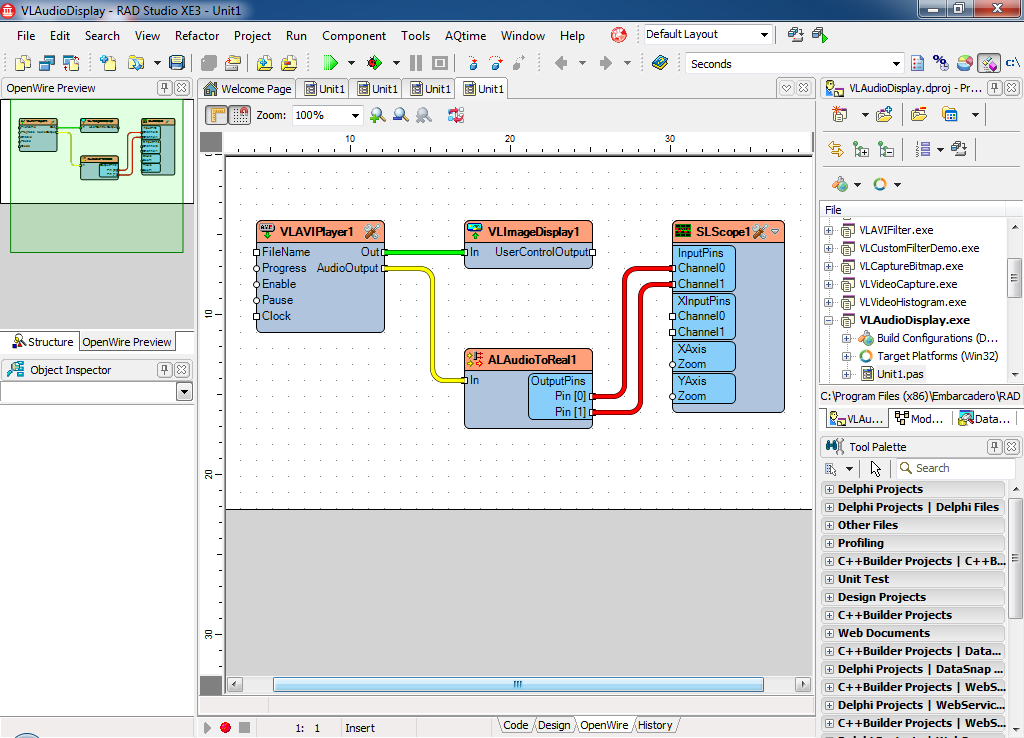
The OpenWire Editor (above) allows you to build OpenWire platform applications by drawing such wiring diagrams. The resulting application:



| OpenWire Editor for RAD Studio XE3 |  |
|||
| OpenWire Editor from the Monitor Volume Demo | 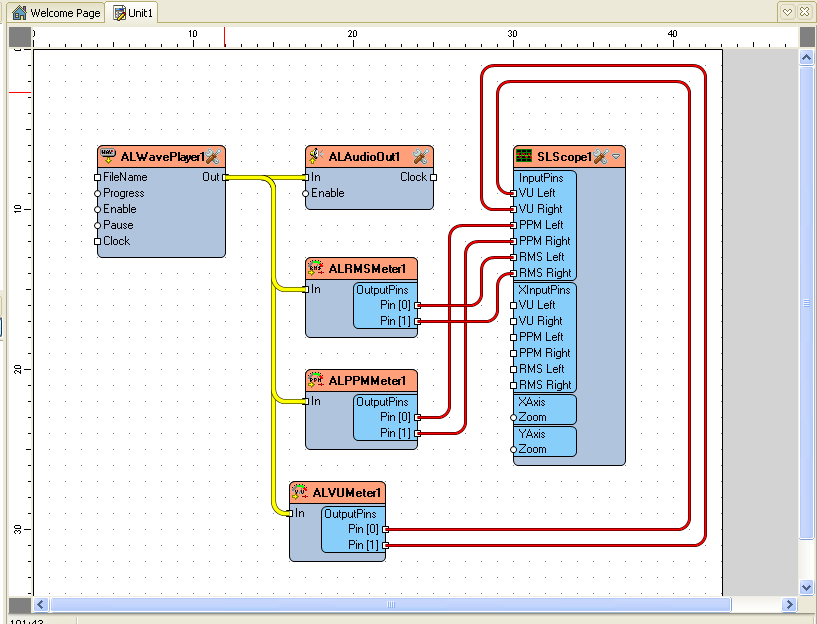 |
| OpenWire Editor for Visual Studio 2010 |  |
|||
| OpenWire Editor for Visual Studio 2012 |  |
If you are unable to connect two pins, this means that they are not compatible -- they do not produce / consume the same type of data stream. To determine which pins are compatible, hover over an output pin and all compatible input pins will be highlighted.
Perhaps: it depends on the nature of your product. Contact Boian Mitov ( mitov@mitov.com ) regarding licensing a custom, embedded version the OpenWire editor.
NEW RELEASE: Updated RAD Studio/Delphi 12.0.0 Athens version of all the libraries has been released!
NEW RELEASE: RAD Studio/Delphi 12.0.0 Athens version of all the libraries has been released!
NEW RELEASE: Updated RAD Studio/Delphi 10.4 Sydney version of all the libraries has been released!
NEW RELEASE: Updated RAD Studio/Delphi 10.3 Rio version of all the libraries has been released!
NEW RELEASE: Updated RAD Studio/Delphi 11.0 Alexandria version of all the libraries has been released!
NEW RELEASE: Updated RAD Studio/Delphi 10.4.2 Sydney version of all the libraries has been released!
NEW RELEASE: Updated RAD Studio/Delphi 11.0.0 Alexandria version of all the libraries has been released!
NEW RELEASE: RAD Studio/Delphi 11.0 Alexandria version of all the libraries has been released!
NEW RELEASE: RAD Studio/Delphi 10.4.2 Sydney version of all the libraries has been released!